Unlock the power of efficient coding in Roblox with this comprehensive guide to Binary Search. For US gamers balancing life and play, understanding how Binary Search optimizes game performance, streamlines inventory management, and enhances player experience is crucial. This article dives into the 'what,' 'why,' and 'how' of implementing Binary Search in Roblox Lua, offering practical tips and real-world examples. Discover how this fundamental algorithm can make your creations run smoother, respond faster, and provide a more polished experience for your players. Whether you're a budding developer or an experienced scripter looking to refine your craft, mastering binary search will elevate your Roblox development skills and solve common performance bottlenecks, allowing you more time for gaming and family. Explore its application for quick data retrieval, ensuring your games remain engaging and lag-free, a common pain point for many players on various devices, from mobile to high-end PCs.
What is Binary Search and why is it important for Roblox development?
Binary Search is an efficient algorithm for finding a specific item within a sorted list. In Roblox development, it's crucial for optimizing performance in games dealing with large datasets, like extensive inventories, leaderboards, or world data. It significantly reduces the time it takes to locate items compared to a linear search, leading to faster response times, smoother gameplay, and a better overall player experience, especially for gamers who prioritize efficient use of their limited free time.
How do I implement a Binary Search function in Roblox Lua?
To implement Binary Search in Roblox Lua, you first need a sorted table of data. You'll set 'low' and 'high' index pointers to the start and end of your table. Inside a loop, calculate a 'mid' index, then compare the value at 'mid' with your target. If the midpoint value matches, you've found it. If it's less than your target, adjust 'low' to 'mid + 1'; if greater, adjust 'high' to 'mid - 1'. Repeat this process until 'low' is greater than 'high' or the item is found, effectively halving the search space each iteration.
When should I consider using Binary Search over a linear search in my Roblox game?
You should consider Binary Search when your Roblox game frequently needs to find items within large, *sorted* lists or tables. For lists with hundreds or thousands of elements, a linear search (checking every item) becomes very slow and resource-intensive. Binary Search, with its logarithmic time complexity, offers vastly superior performance for these scenarios, ensuring your game remains responsive and enjoyable, a key factor for today's busy adult gamers.
Can Binary Search help improve the loading times of my Roblox game's inventory system?
Yes, Binary Search can significantly improve the loading and management times for your Roblox game's inventory system. If your inventory items are stored in a sorted table (e.g., by item ID or name), Binary Search allows for incredibly fast lookups to check if a player possesses an item, retrieve its properties, or update its quantity. This optimization directly translates to quicker UI responses and a smoother experience for players interacting with their inventory, reducing frustration and maximizing their enjoyment.
What are the common mistakes developers make when scripting Binary Search in Roblox Lua?
Common mistakes when scripting Binary Search in Roblox Lua include using it on unsorted data, which will produce incorrect results, and encountering 'off-by-one' errors with index calculations (especially considering Lua's 1-based indexing). Developers also often face infinite loops if the 'low' and 'high' pointers aren't adjusted correctly. It's crucial to test with edge cases like empty lists, single-item lists, and targets at the list's boundaries to catch these subtle bugs early.
How does Binary Search impact network performance or data transfer in Roblox?
While Binary Search primarily optimizes client-side or server-side computation for data lookup, it indirectly impacts network performance. By making data retrieval and processing more efficient on the server, it reduces the computational load, which can lead to faster server responses and less latency for clients. For complex game states, quicker server-side lookups mean more efficient state synchronization with players, potentially reducing the amount of data that needs to be sent due to faster processing of relevant changes, ultimately improving overall game responsiveness.
Are there any Roblox-specific considerations or optimizations for Binary Search?
Roblox-specific considerations for Binary Search largely revolve around Lua's table behavior. While Lua tables are versatile, ensuring your data is genuinely sorted is paramount. For very large datasets that might be stored across multiple scripts or even datastores, consider whether to perform the sort and search on the client or server, balancing computational load. Additionally, for frequent lookups by a unique key, Lua's hash table functionality (using keys directly) often provides even faster O(1) average time complexity than Binary Search, making it a stronger alternative for specific use cases where sorting is not strictly required for other operations.
Hey fellow gamers and creators! Ever found yourself in a Roblox game experiencing a frustrating lag spike when loading an inventory or searching for a specific item? Or perhaps as a developer, you're constantly seeking ways to make your scripts run faster and more efficiently so players have a seamless experience, allowing them to relax and enjoy the game without technical hiccups? You're not alone. Many of us, especially those juggling jobs and families, value our gaming time immensely and want every moment to be fun and productive, not spent troubleshooting slow systems.
In the fast-paced world of Roblox development, where millions of players engage daily, efficiency isn't just a buzzword; it's a necessity. With 87% of US gamers playing regularly, often dedicating 10+ hours a week, and mobile gaming dominating a significant portion of that engagement, optimizing performance is key to keeping players immersed. That's where a powerful, yet often misunderstood, algorithm comes into play: Binary Search in Roblox Lua. This isn't just a theoretical concept; it's a practical tool that can drastically improve how your Roblox games handle data, leading to smoother gameplay and happier players. Let's dive deep into how you can use Binary Search to build better, faster Roblox experiences and tackle those common performance headaches.
What Exactly Is Binary Search and Why Use It in Roblox?
Binary Search is an incredibly efficient algorithm for finding a specific item within a sorted list or array. Think of it like trying to find a word in a dictionary: you don't start from the beginning and flip page by page. Instead, you open roughly to the middle, decide if your word is before or after that point, and then repeat the process, halving the search area each time. This method is vastly quicker than checking every single item one by one, especially when dealing with large collections of data.
In Roblox, where game logic can involve extensive player inventories, vast world generation data, or complex UI elements, the need for speed is constant. Using a simple linear search (checking every item) might be fine for 10 items, but for 1000 or 10,000 items, it becomes a performance killer. Binary Search dramatically reduces the time it takes to find something, making your scripts run faster, consuming fewer resources, and providing a snappier experience for your players. This is vital for gamers who value smooth performance and don't want their limited gaming time interrupted by frustrating delays, particularly given the prevalence of mobile play where optimized performance is even more critical.
How Does Binary Search Work in Roblox Lua Scripting?
Implementing Binary Search in Roblox Lua follows the same core principles as in other programming languages. You need a sorted list, a target value, and a way to track the low and high bounds of your search area. Here's a basic outline of the process:
- Sort Your Data: Crucially, the list or table you're searching must be sorted in ascending or descending order. If your data isn't sorted, Binary Search won't work correctly.
- Define Search Bounds: Initialize a 'low' index to the beginning of your list (usually 1 in Lua for tables) and a 'high' index to the end of your list.
- Calculate Midpoint: Find the middle index within your current search bounds. A common way is
math.floor((low + high) / 2). - Compare and Adjust: Compare the value at the midpoint with your target value.
- If the midpoint value is your target, you've found it!
- If the midpoint value is less than your target, discard the lower half of the list by setting
low = mid + 1. - If the midpoint value is greater than your target, discard the upper half by setting
high = mid - 1.
- Repeat: Continue steps 3 and 4 until the low index is greater than the high index, which means the item wasn't found, or until the item is located.
This iterative process ensures that with each step, the potential search space is halved, leading to incredibly fast lookup times. Many developers in 2026 are looking for ways to optimize their games for seamless cross-play experiences, and efficient algorithms like this are foundational.
When Should Roblox Developers Use Binary Search?
Binary Search shines in scenarios where you frequently need to find specific elements within large, sorted collections of data. Here are some prime use cases in Roblox development:
- Inventory Systems: Imagine a player's inventory with hundreds or thousands of items. If these items are stored in a sorted table (e.g., by ID or name), Binary Search can quickly locate a specific item, check its quantity, or add/remove it.
- Leaderboards: When displaying or updating a leaderboard, especially one with many entries, Binary Search can quickly find a player's rank or check if they've achieved a new high score.
- Game World Lookups: For complex procedural generation or large open worlds, if you need to quickly locate a specific type of terrain, building, or NPC based on a sorted identifier, Binary Search can be invaluable.
- Configuration Data: Games often rely on extensive configuration tables. If these are sorted, finding specific settings or parameters becomes much faster.
- NPC AI Decision Making: In advanced AI, if NPCs need to choose an action from a sorted list of priorities or targets, Binary Search can speed up that decision process.
For a generation of gamers balancing work and play, smooth, responsive games that minimize load times and maximize gameplay are highly valued. Binary Search directly contributes to this by optimizing behind-the-scenes processes.
Are There Pre-Built Binary Search Functions in Roblox or Lua?
While Lua itself doesn't have a built-in function specifically named 'binarySearch' in its standard libraries, implementing one in Roblox is straightforward and a common practice for developers. You'll typically write your own function, tailoring it to your specific data structure (e.g., an array-like table of numbers, or a table of dictionaries sorted by a key). This allows for maximum flexibility and control over how the search operates within your game's unique logic.
Many developers share their robust Binary Search implementations on developer forums or GitHub, which can serve as excellent starting points. However, understanding the underlying algorithm is key, as simply copying code without comprehension can lead to debugging headaches down the line. Learning to write your own also hones your problem-solving skills, which is a major draw for many gamers who enjoy the challenge and satisfaction of building something great.
What Are Common Pitfalls When Implementing Binary Search in Roblox?
Even with its elegance, Binary Search can trip up developers if not handled carefully. Here are some common issues to watch out for:
- Unsorted Data: This is the number one mistake. If your list isn't sorted, Binary Search will produce incorrect results or fail to find items that are present. Always ensure your data is sorted *before* performing a Binary Search.
- Off-by-One Errors: Indexing in Lua (starting at 1) can sometimes lead to 'off-by-one' errors when calculating midpoints or adjusting high/low bounds. Double-check your
midcalculation and boundary adjustments (e.g.,mid + 1,mid - 1). - Infinite Loops: If your
lowandhighpointers aren't adjusted correctly, or if the search condition isn't met, you might end up in an infinite loop. Ensure your loop condition (e.g.,while low <= high do) and pointer movements are sound. - Edge Cases: Test your Binary Search with lists containing a single item, an empty list, and when the target item is at the very beginning or end of the list. These edge cases often expose subtle bugs.
- Duplicate Values: If your list contains duplicate values, a standard Binary Search will find *an* instance of the value, but not necessarily the *first* or *last* one. If you need specific behavior for duplicates, you might need a modified Binary Search algorithm.
Debugging these issues is a part of the development journey, and understanding the common pitfalls can save you hours, allowing you more time to enjoy gaming with friends or tackling your next project.
How Can Binary Search Improve Game Performance and Player Experience?
Performance is paramount for player retention and enjoyment in Roblox. A sluggish game frustrates players, especially those who only have a short window to game after a long day. Binary Search contributes significantly to better performance by:
- Reducing CPU Usage: Fewer comparisons mean less processing power needed, freeing up the CPU for other game logic, rendering, or physics calculations.
- Faster Response Times: Quick lookups translate directly to faster UI responses, quicker inventory updates, and more immediate feedback when players interact with game elements.
- Scalability: As your game grows and deals with more data (e.g., a larger player base, more items, bigger worlds), Binary Search's logarithmic time complexity ensures performance doesn't degrade linearly. It scales incredibly well compared to linear searches.
- Smoother Gameplay: By minimizing lag induced by data operations, Binary Search helps maintain a consistent frame rate and overall fluid gameplay experience, crucial for both competitive and casual social games prevalent today.
A better performing game provides a more relaxing and engaging experience, which is exactly what busy adults seek when they sit down to game.
Can I Use Binary Search for Inventory Management in Roblox?
Absolutely, inventory management is one of the most practical and impactful applications for Binary Search in Roblox. Imagine a player's inventory represented as a table of item IDs, where each ID corresponds to a unique item. If this table is kept sorted (e.g., whenever an item is added or removed, the list is re-sorted, or you use a data structure that maintains sort order), then checking if a player has a specific item, or finding an item's slot, becomes incredibly fast.
For example, if you have 10,000 unique items in a game, and a player's inventory might hold a few hundred. Using Binary Search to check if they possess 'ItemX' or 'WeaponY' significantly reduces the search time from potentially hundreds of checks to just a handful (log base 2 of 1000 is roughly 10 checks). This directly impacts how quickly inventory UIs load, how fast item crafting systems operate, and how responsive item interactions feel in your game.
What Are Alternatives to Binary Search in Roblox Scripting?
While Binary Search is fantastic for sorted data, it's not the only way to find things in Roblox Lua. The best alternative often depends on your specific data structure and requirements:
- Linear Search: The simplest method, iterating through every item. Best for small lists (e.g., under 50 items) or unsorted data. Easy to implement but poor performance on large datasets.
- Hash Tables (Dictionaries): Lua tables can be used as hash maps (also known as dictionaries or associative arrays). If you frequently look up items by a unique key (like an item ID or name), storing them directly in a table where the key is the lookup value offers O(1) average time complexity, which is even faster than Binary Search. Example:
Inventory[itemId] = itemData. This is often the preferred method for direct lookups. - Pre-sorted Data Structures: If your data needs to remain sorted and you need quick lookups, you might consider more complex data structures like balanced binary search trees, though these are more advanced to implement from scratch in Lua.
- Roblox API Functions: For certain tasks, Roblox's built-in APIs might offer optimized methods. For instance, using
table.find()performs a linear search, but for specific game object hierarchy searches, methods likeInstance:FindFirstChild()orInstance:WaitForChild()are optimized for their specific use cases.
Choosing the right algorithm or data structure is a key skill for any developer looking to optimize their game for the diverse hardware and connection speeds of the modern gamer.
How Can I Practice Implementing Binary Search in Roblox?
The best way to master Binary Search in Roblox is by doing! Start with simple exercises and gradually increase complexity:
- Basic Sorted Number List: Write a function that finds a number in a sorted table of integers.
- Finding an Item by ID: Create a table of item dictionaries (e.g.,
{ID = 1, Name =Binary search roblox optimizes game performance, essential for efficient scripting, enhances player experience, crucial for large data sets, simplifies inventory management, and improves game logic speed. It helps balance gaming with life by reducing development time for performance issues.
35#1 Gallery binary search roblox




Definitive Guide To Roblox 2026 TM 07169 Definitive Guide To Roblox 2026 . Day 40 Roblox Binary 2026 YouTube Oar2 . Roblox 2026 Logo REVEALED New Color New Look YouTube Maxres2 . How To Update Roblox In 2026 Fix Error Code 280 On PC Mobile Xbox Roblox Update It.webp. 100 Unofficial Roblox Annual 2026 Brand New For 2025 The Iconic SL1500
#2 Gallery binary search roblox



A Mother Or Father S Information To Utilizing Roblox In 2026 Ivugangingo 2026 Parental Guide For Roblox Usage UnicMinds . Basically Roblox In 2026 There Cooked 37 Ahuobm L.webp. Exploring Meaxico Roblox Fun What Awaits You In 2026 Oar2 . How To Get Smurf Cat In Steal A Brainrot Roblox 2026 Guide Steal A Brainrot Wiki 1024x576 . Who Is Mgigi203 On Roblox And What Are They Doing In 2026
#3 Gallery binary search roblox



12 Best Roblox Games To Play In 2026 Insider Ranked List 12 Roblox Top Games Of 2026.webp. The 2025 Roblox Replay Decoded Through Search And Style Roblox. How To Message On Roblox 2026 A Quick Guide . Roblox 2026 Roblox 2d47d8d8 Ef06 4b99 8a10 . Roblox 2026 Generative AI Ekonomi Kreator Dan Dominasi Roblox Generative Ai Ekonomi Kreator Metaverse 2026 Cover 2r4KC4.webp
#4 Gallery binary search roblox


Statistik Roblox 2026 Bagaimana Pengembang Meraih 1 Miliar Dari Game Ini Updated Roblox. How To Publish A Game On Roblox In 2026 Roblox YouTube . How Many Games Are On Roblox 2026 Updated Image. Roblox 2026 Logo Evolve YouTube Oardefault . 2026 Number On Digital Binary Code Background Royalty Free Number Digital Binary Code Background Number Digital Binary Code Background Vector 376978365
#5 Gallery binary search roblox



Roblox 2026 New Logo REVEAL First Look At The Future Shorts YouTube Hq2 . Best Roblox VPN 2026 Security And Unlimited Access For Players VPN Roblox 2026 Terbaik Melindungi Privasi Dan Akses Tanpa Batas 3756ba1bbf . 2026 Number On Digital Binary Code Background Vector Stock 2026 Number On Digital Binary Code Background Vector 3B16RKG . Roblox Chasing Codes For January 2026 Unlock Exclusive Rewards 1767899766 Roblox Chasing Codes For January 2026 Unlock Exclusive Rewards . Roblox In 2026 Play On Roblox NoFilter
#6 Gallery binary search roblox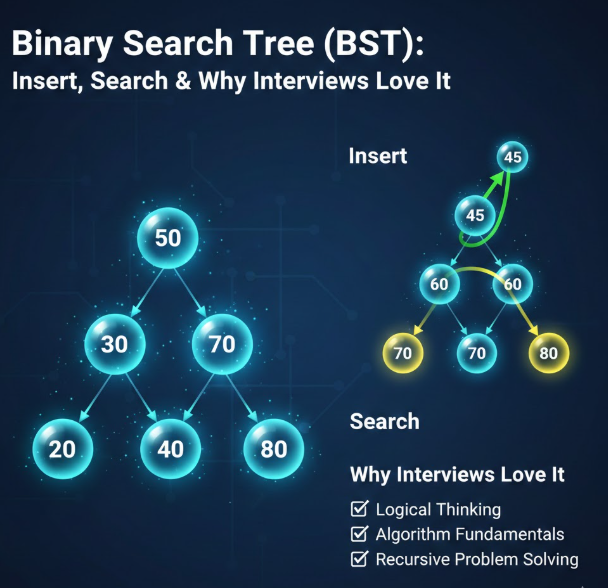


Binary Search Tree BST Insert Search Why Interviews Love It By 1*0khJ . Linear Search Binary Search Explained AS Level 9618 2026 Past . ROBLOX GAMES 2026 Tier List Community Rankings TierMaker . BINARY IN THE FUTURE Tkbctf 2026 Writeup By Universal Medium 1*y 9uNLJy . The Definitive Guide To Roblox 2026 Gadget Stall 1024x1024
#7 Gallery binary search roblox

RED Binary Code Head Black Outline Roblox Item Rolimon S Png. Roblox 2026 Logo Mp3 Mp4 Download Clip Africa Com Mqdefault . Roblox Massacre Codes Jan 2026 1768018085 Roblox Massacre Codes Jan 2026 . Roblox New 2026 Logo Roblox Reels Humbled Gamer Facebook Media. 2026 Chain Roblox Item Rolimon S NoFilter

